Linraw doPDF
All-in-one desktop software to merge, split, convert, and manage PDFs quickly, securely, and offline.


Linraw doPDF - Your All-in-One PDF Toolbox
The lightweight desktop PDF software that does it all.
Tired of complicated online PDF tools that upload your private files?
Linraw doPDF is a fast, secure, and completely offline desktop application packed with dozens of tiny but powerful PDF tools.
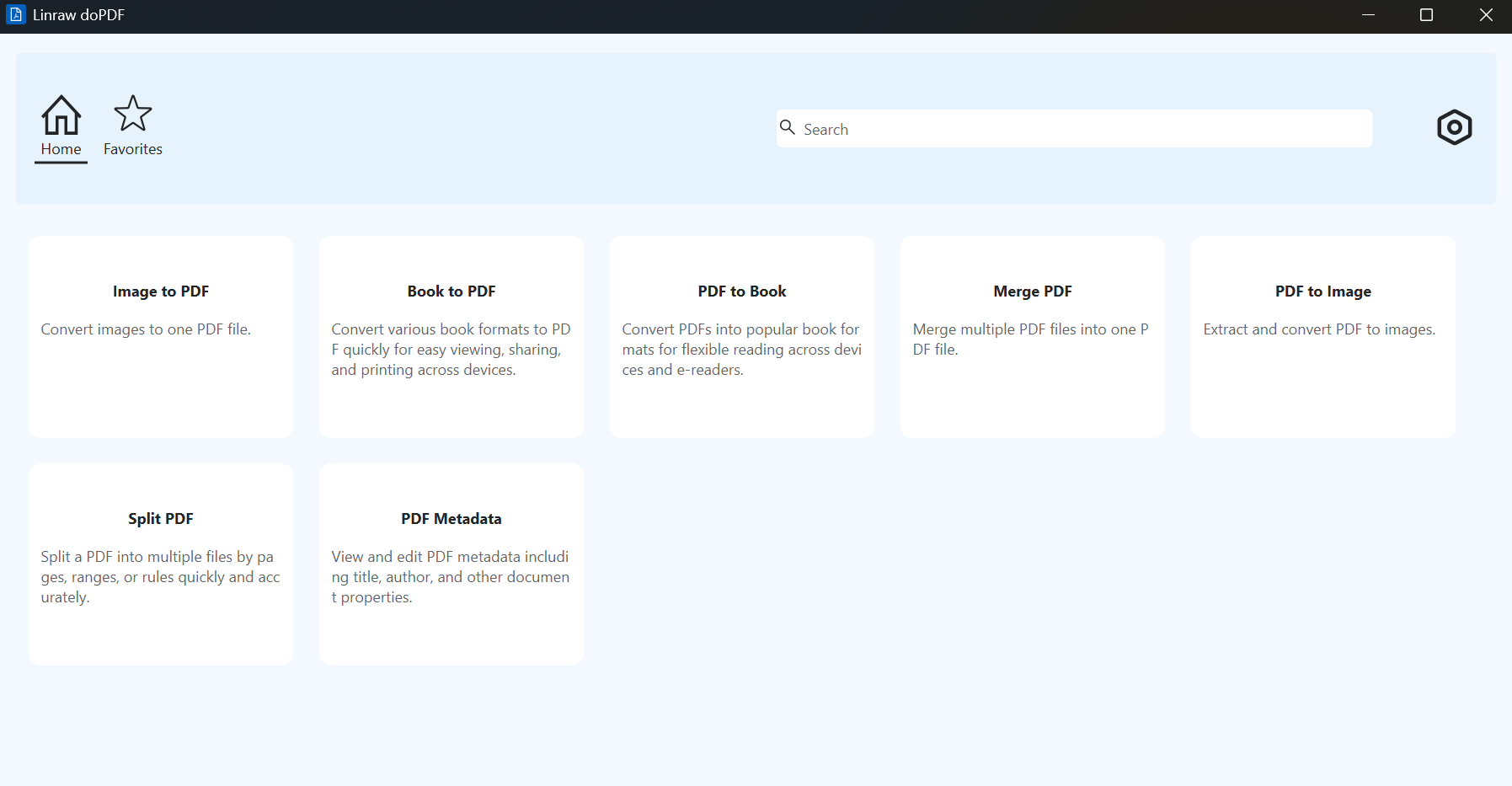
Whether you need to merge PDFs, split pages, convert between images and PDF, create digital books, or edit metadata — Linraw doPDF has a simple, dedicated tool for every task.
Why Choose Linraw doPDF?
✅ 100% Offline - Your files never leave your computer
✅ Lightning Fast - Built for speed with modern Windows architecture
✅ Lightweight - Small installer, low RAM usage
✅ No Watermarks - Clean output every time
✅ Batch Processing - Handle hundreds of files at once
✅ Regular Updates - New tools added frequently
All PDF Tools in One App
Core PDF Operations
Merge PDF — Combine multiple PDF files into one
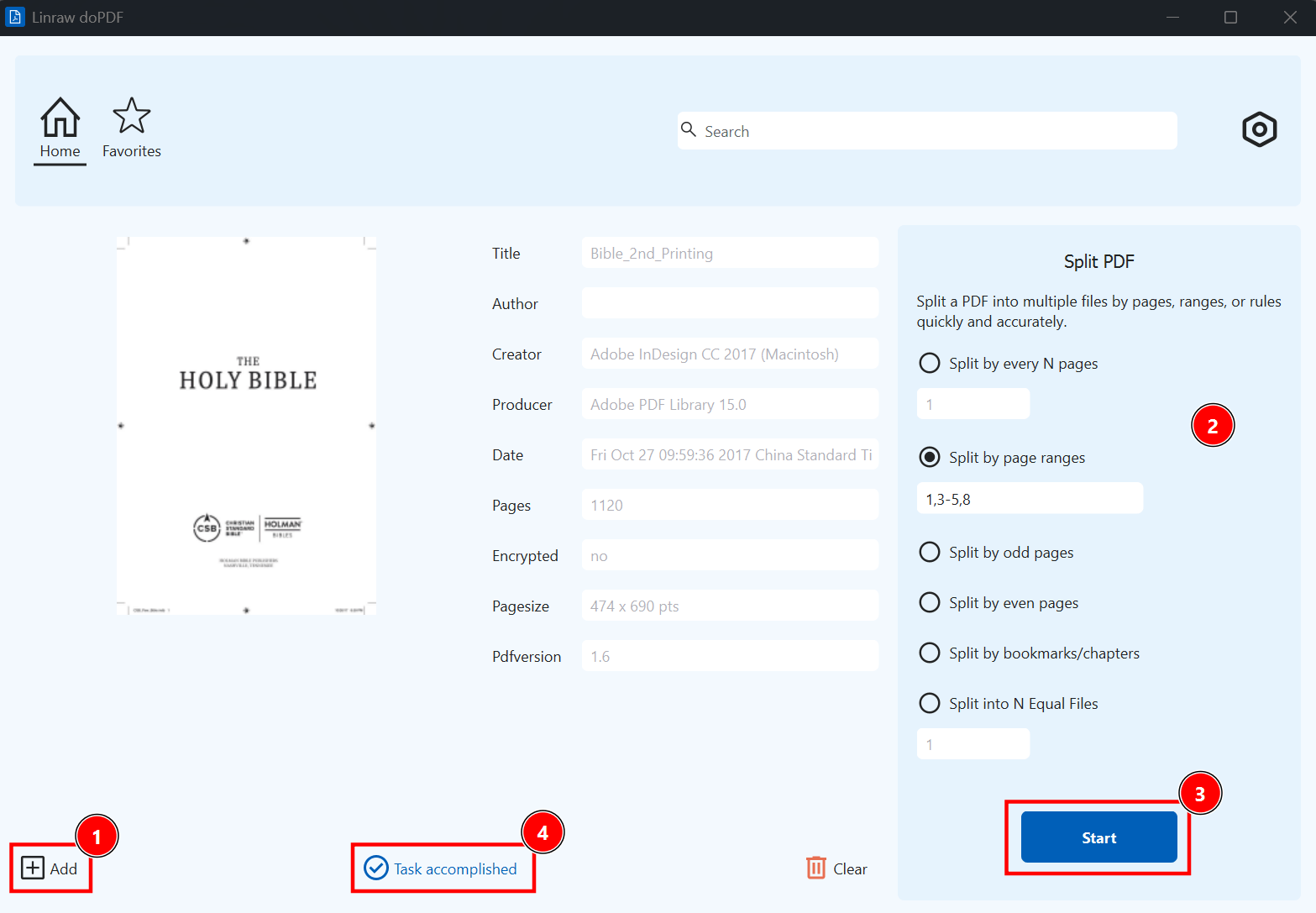
Split PDF — Split by pages, ranges, or even/odd pages
Extract Pages — Pull out specific pages into a new PDF
Delete Pages — Remove unwanted pages easily
Conversion Tools
PDF to Image — Convert PDF pages to JPG, PNG, BMP, TIFF
Image to PDF — Turn photos and scanned images into searchable PDFs
PDF to Book — Convert PDF into eBook formats (EPUB, MOBI)
Book to PDF — Convert EPUB, MOBI, AZW3 to professional PDF
PDF to Text — Extract text from scanned or digital PDFs
Simple & Intuitive Interface
Linraw doPDF features a clean, modern tabbed interface. Each tool opens in its own clean window with clear options and instant previews.
Drag & drop support • Dark mode • Keyboard shortcuts
Perfect For
Students & Researchers
Office Workers & Professionals
Teachers & Educators
Publishers & Content Creators
Anyone who works with PDFs daily
System Requirements
Windows 10 / 11 (64-bit recommended)
4 GB RAM (8 GB recommended)
300 MB free disk space
What Users Say
"Linraw doPDF replaced 5 different PDF tools for me. The split and merge functions are incredibly fast and accurate."
— Michael Chen, Accountant
"Finally an offline tool that can properly convert PDF to high-quality images and back. Love the metadata editor!"
— Sarah Patel, Researcher
Frequently Asked Questions
Do I need to create an account?
No registration required. Just download and use.
Is my data safe?
Absolutely. Linraw doPDF works 100% offline. Nothing is uploaded to any server.
Will it work on my Windows version?
Linraw doPDF supports Windows 10 / 11 and MacOS.

30-Day Refund Guarantee

100% Secure & Safe

24/7 Customer Service
