Linraw doBook
A powerful desktop software packed with smart, lightweight tools for every eBook workflow.


All-in-One eBook Solution for Windows & Mac
Transform, edit, and manage your digital books effortlessly with Linraw doBook — a powerful desktop software packed with smart, lightweight tools for every eBook workflow.
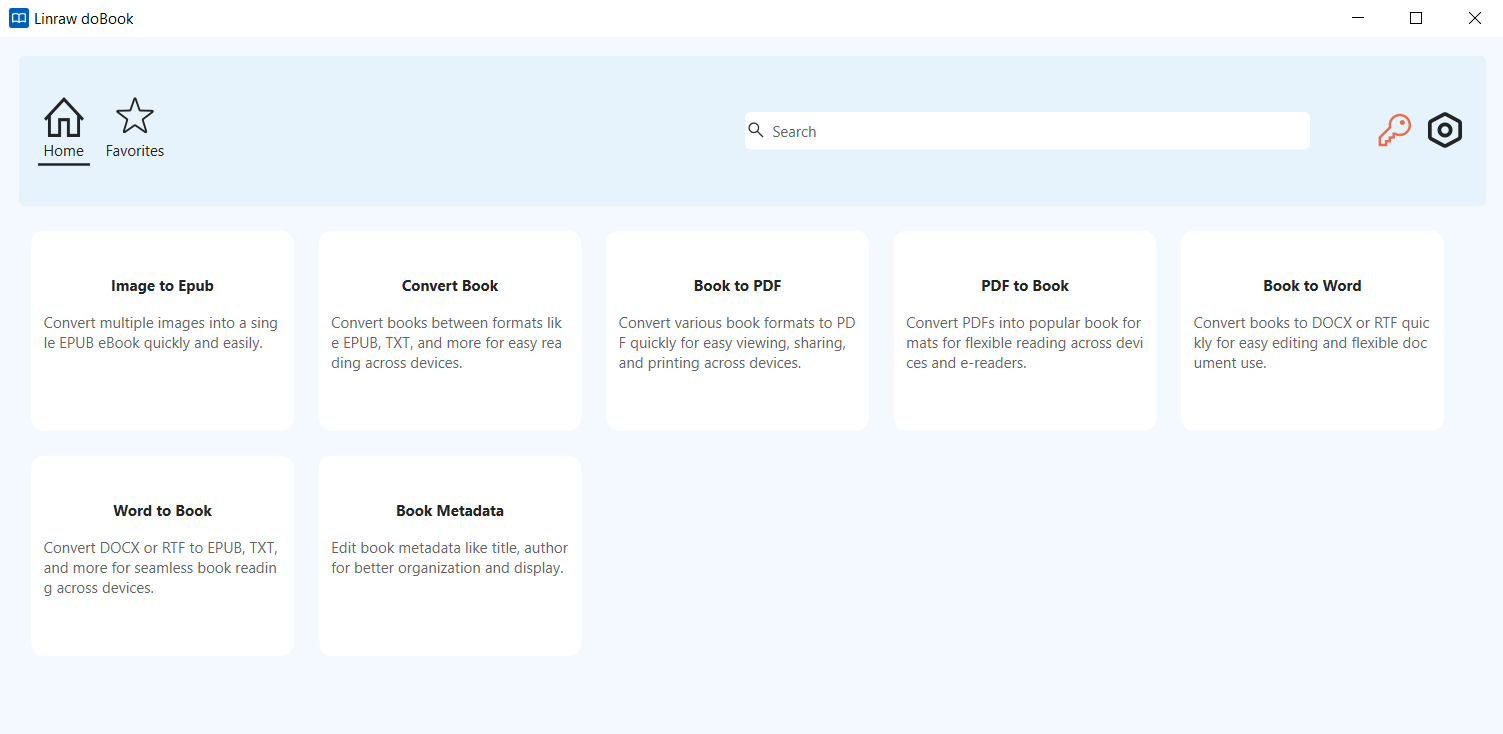
Everything You Need for eBooks — In One Place
Linraw doBook brings together a complete suite of book-processing tools designed for speed, simplicity, and batch efficiency. Whether you're a reader, writer, or publisher, you can handle all your eBook tasks without switching between multiple apps.
Key Features
Convert Books Between Formats
Easily convert eBooks across popular formats like EPUB, TXT, and more — ensuring compatibility with any device or platform.
Book to PDF Converter
Turn your eBooks into high-quality PDFs for easy sharing, printing, or archiving.
PDF to Book Converter
Convert PDFs back into editable and flexible eBook formats for better reading and customization.
Book to Word (DOCX/RTF)
Extract and convert eBook content into editable Word documents — perfect for editing, rewriting, or republishing.
Word to Book Converter
Create professional eBooks from DOCX or RTF files in just a few clicks.
Edit Book Metadata
Update title, author, cover image, publisher, and other metadata fields to organize your library and improve readability across devices.
Batch Processing
Process multiple files at once — convert, edit, or manage entire libraries in seconds.
Why Choose Linraw doBook?
All-in-One Solution – No need for multiple tools
User-Friendly Interface – Simple, clean, and intuitive
Fast Performance – Optimized for bulk operations
Cross-Platform – Works seamlessly on Windows and macOS
High-Quality Output – Preserve formatting and structure
Perfect For
eBook readers managing large libraries
Writers and editors working with manuscripts
Publishers converting and distributing content
Students organizing study materials
How It Works
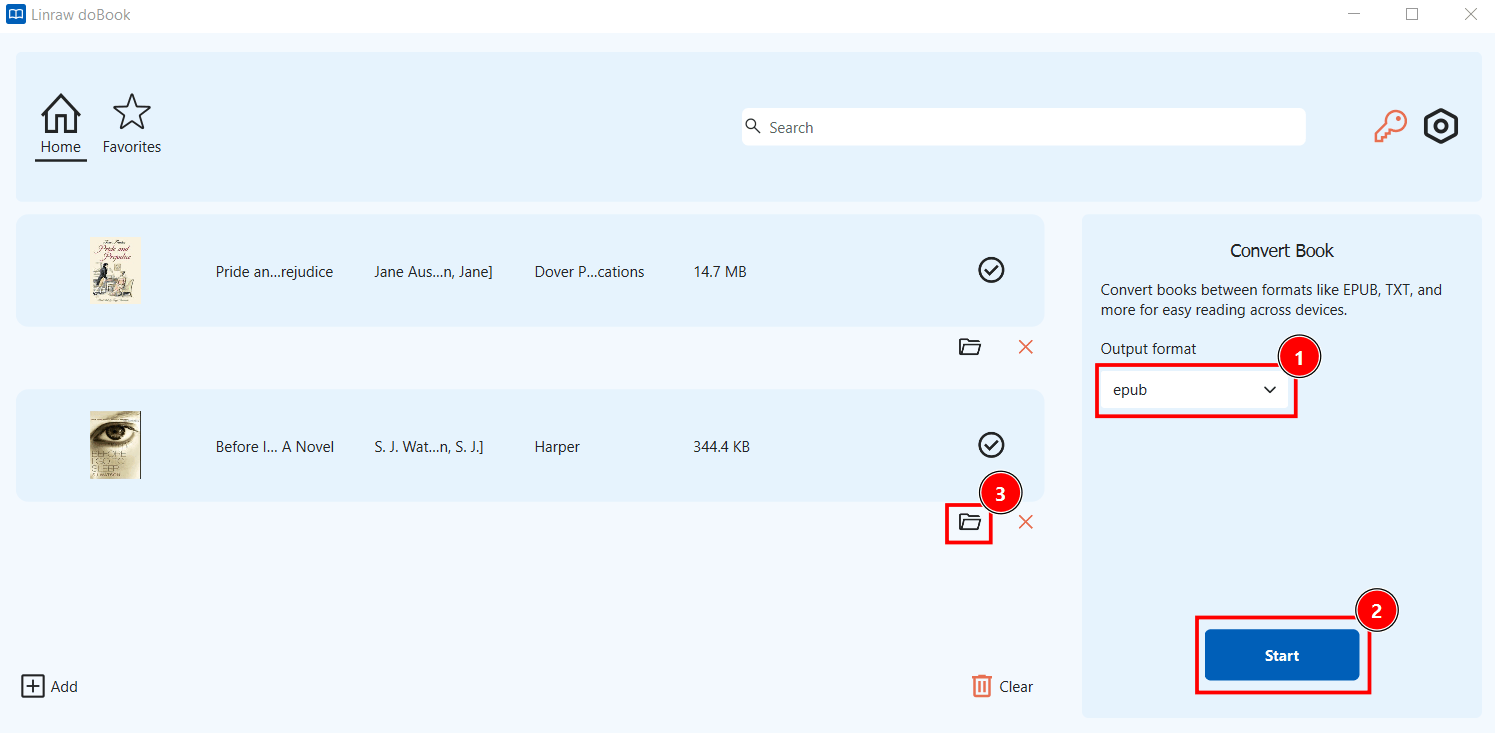
Add your book files
Choose the desired tool (convert, edit, etc.)
Adjust settings if needed
Click “Start” and let Linraw doBook do the rest
Safe & Offline
Your files stay private. Linraw doBook runs entirely on your desktop — no uploads, no cloud risks.
Get Started Today
Simplify your eBook workflow with one powerful toolkit.
Download Linraw doBook and take full control of your digital library.
Linraw doBook — Smart Tools for Smarter Reading.

30-Day Refund Guarantee

100% Secure & Safe

24/7 Customer Service
