How to Batch Convert JPG to PNG on Windows and Mac
Batch converting JPG to PNG is a common requirement for designers, developers, photographers, and businesses managing large image libraries. While converting a single image is easy, converting dozens or hundreds of JPG files efficiently requires the right approach.
In this guide, we'll explore ultiple ways to batch convert JPG to PNG on Windows and Mac, including built-in tools, desktop software, online converters, and command-line methods—and help you decide which method works best for bulk, offline image processing.
Why Convert JPG to PNG?
JPG and PNG are both widely used image formats, but they serve different purposes.
Common reasons to convert JPG to PNG include:
Lossless quality: PNG preserves image details without compression artifacts.
Transparency support: PNG allows transparent backgrounds.
Better for graphics: Ideal for logos, icons, UI elements, and screenshots.
Repeated editing: PNG avoids quality degradation during multiple edits.
For bulk image workflows, choosing the right conversion method is critical.
Best Way to Batch Convert JPG to PNG on Windows & Mac
Note:
This is the fastest method using Linraw doImage.
If you need to process thousands of images in seconds without uploading them to the cloud, a dedicated desktop tool is the superior choice.
Step-by-Step Guide:
Download and Open: Launch Linraw doImage on your Windows or Mac computer.
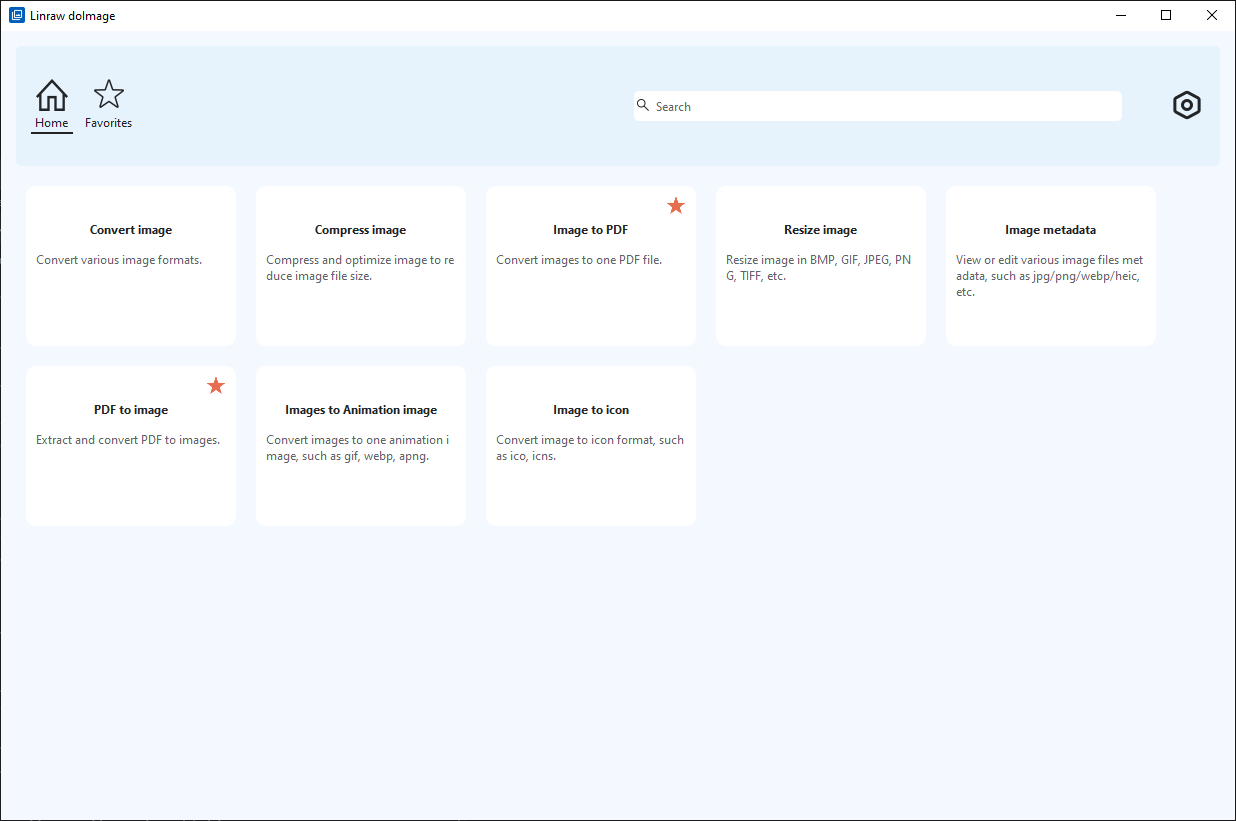
Open Tool: Click and open "Convert Image" tool.
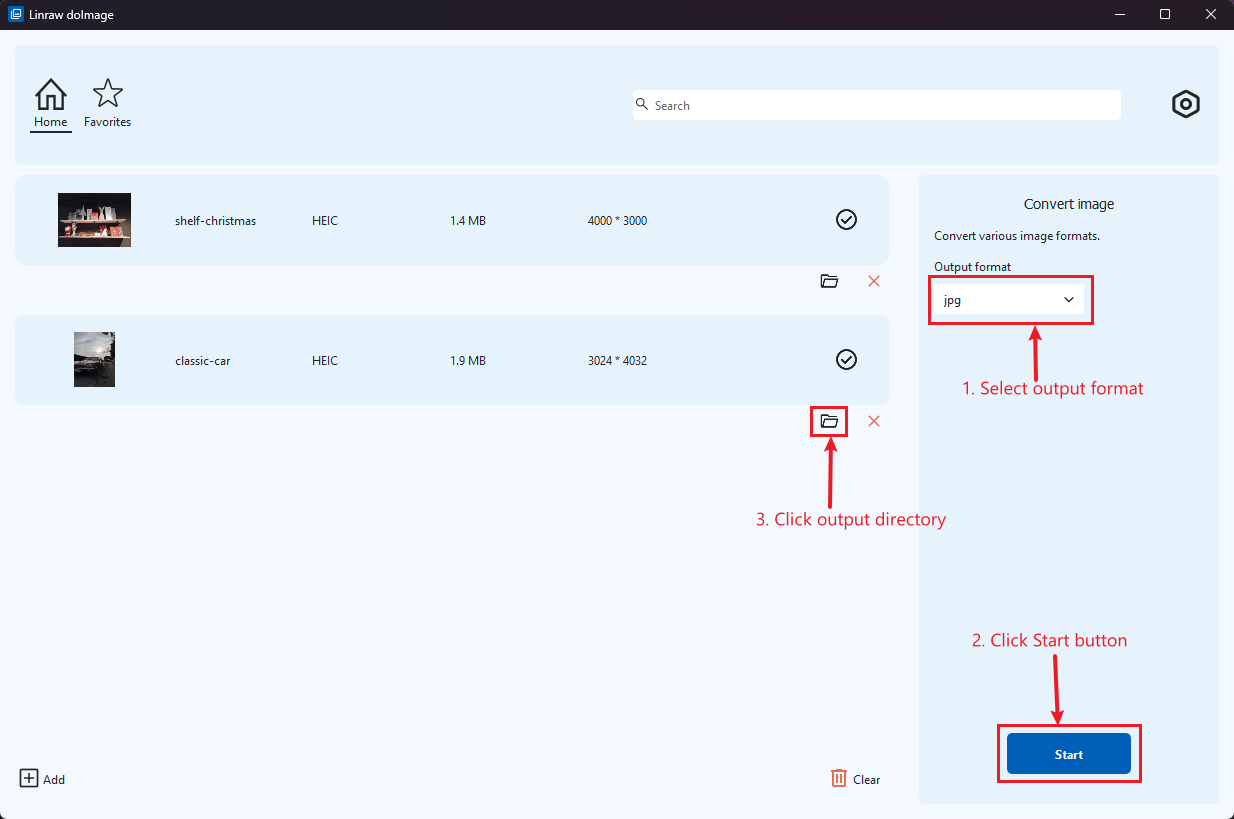
Add Files: Drag and drop your JPG images into the main window.
Select Output Format: In the settings panel, choose PNG as your target format.
Run Conversion: Click "Start". Your files will be converted locally and saved to your destination folder instantly.
Pro Tip:
You can also resize and compress your images in the same step!
Built-in Ways to Convert JPG to PNG
If you only have a few files and don't want to install new software, your operating system has some hidden tools.
Convert JPG to PNG Using Windows Built-in Tools
Windows doesn't have a native "batch converter" right in the context menu, but you can use the Photos App or PowerToys (if installed).
Method: Open a JPG image file using the Photos app > Save As > Select output format.
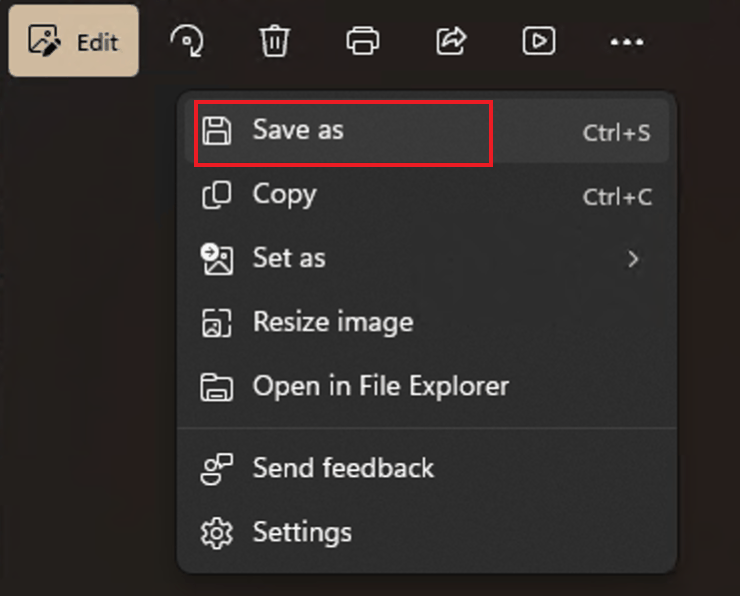
Limitation: It is tedious for large numbers of files, and you have limited control over compression settings.
Convert JPG to PNG Using macOS Built-in Tools
Mac users have a slight advantage with Preview and Automator.
Using Preview:
Select all your JPGs and open them in Preview.
In the left sidebar, press Cmd + A to select all thumbnails.
Go to File > Export Selected Images.
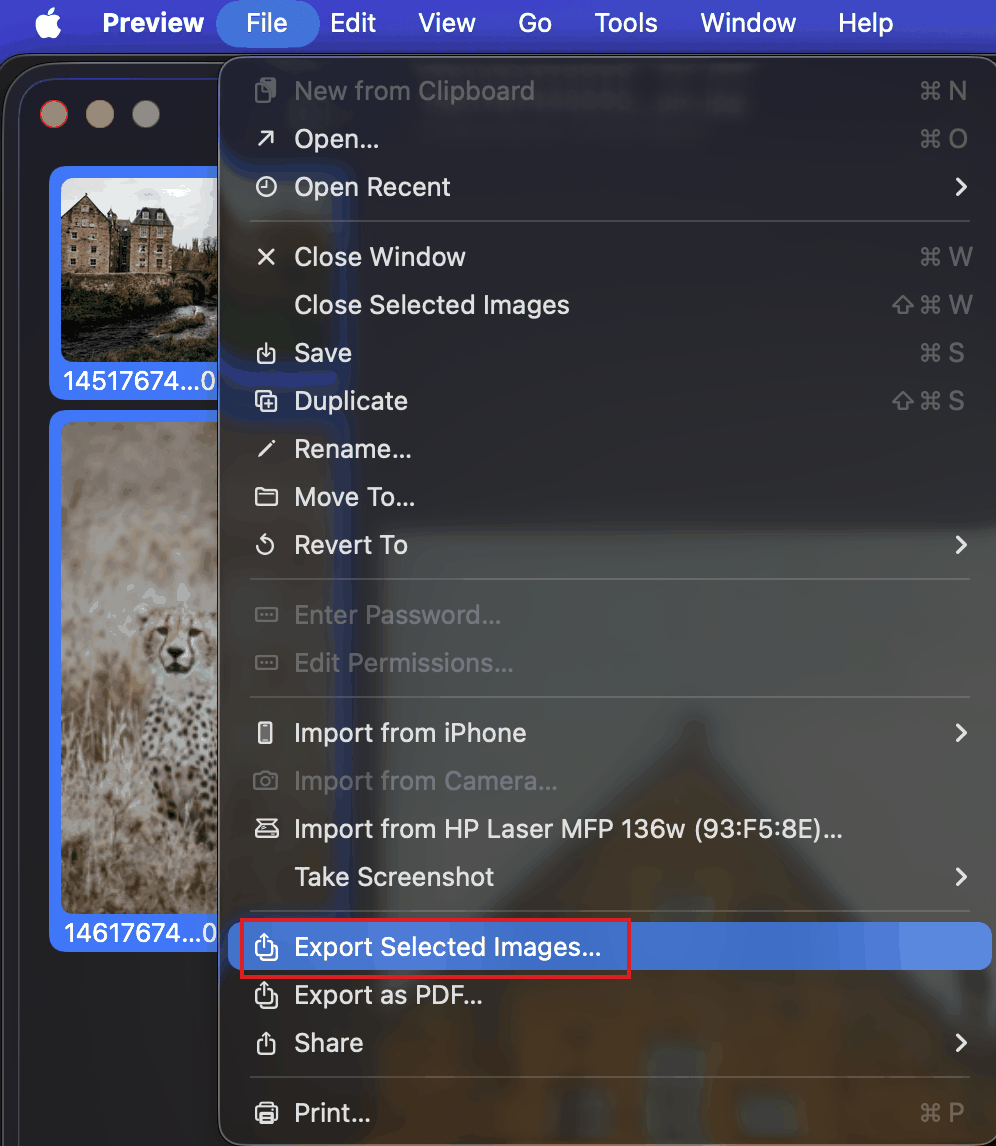
Choose PNG from the format dropdown and click Choose.
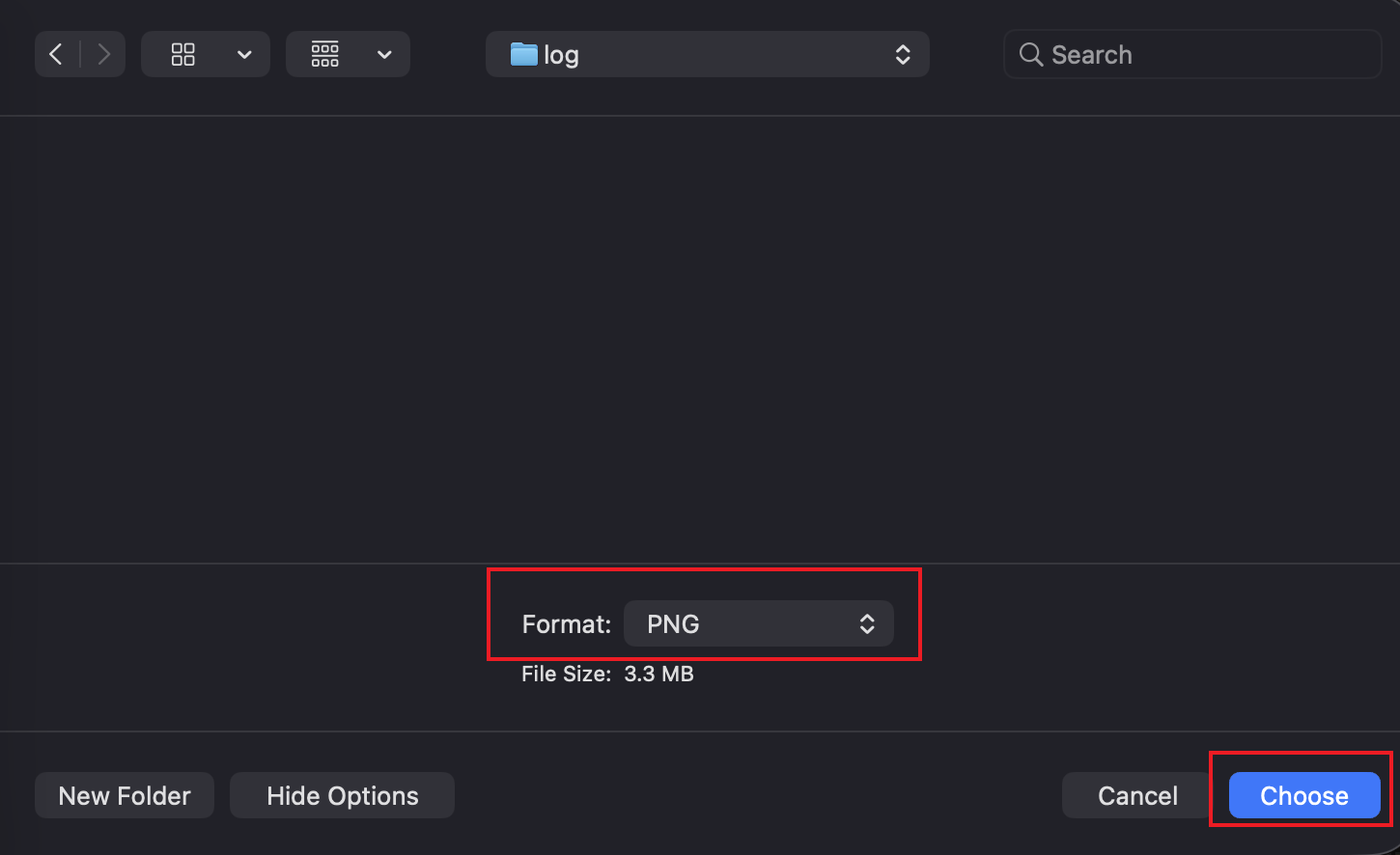
Limitation: Preview can crash with hundreds of high-res images, and it offers zero control over metadata or file naming.
Convert JPG to PNG Using Other Desktop Software
If you are looking for free open-source alternatives, you might encounter these two common options:
GIMP
GIMP is a powerful, free photo editor often called the "free Photoshop."
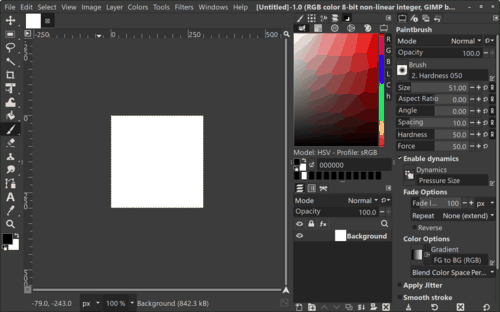
Pros: Extremely powerful editing capabilities.
Cons: It is not built for batch processing. You need to install a plugin (like "BIMP") or write a script to handle bulk actions, which has a steep learning curve for non-technical users.
XnConvert
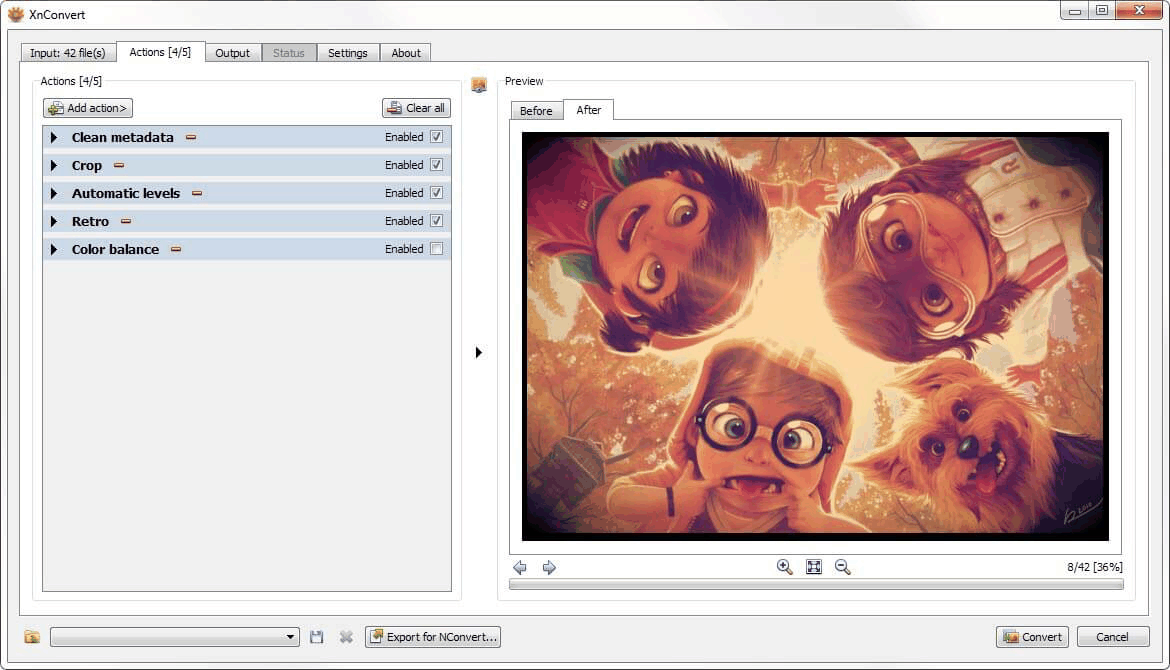
XnConvert is a classic utility for batch processing.
Pros: Supports hundreds of obscure formats.
Cons: The interface is dated and can be confusing. It is often slower than modern hardware-accelerated tools.
Convert JPG to PNG Using Online Tools
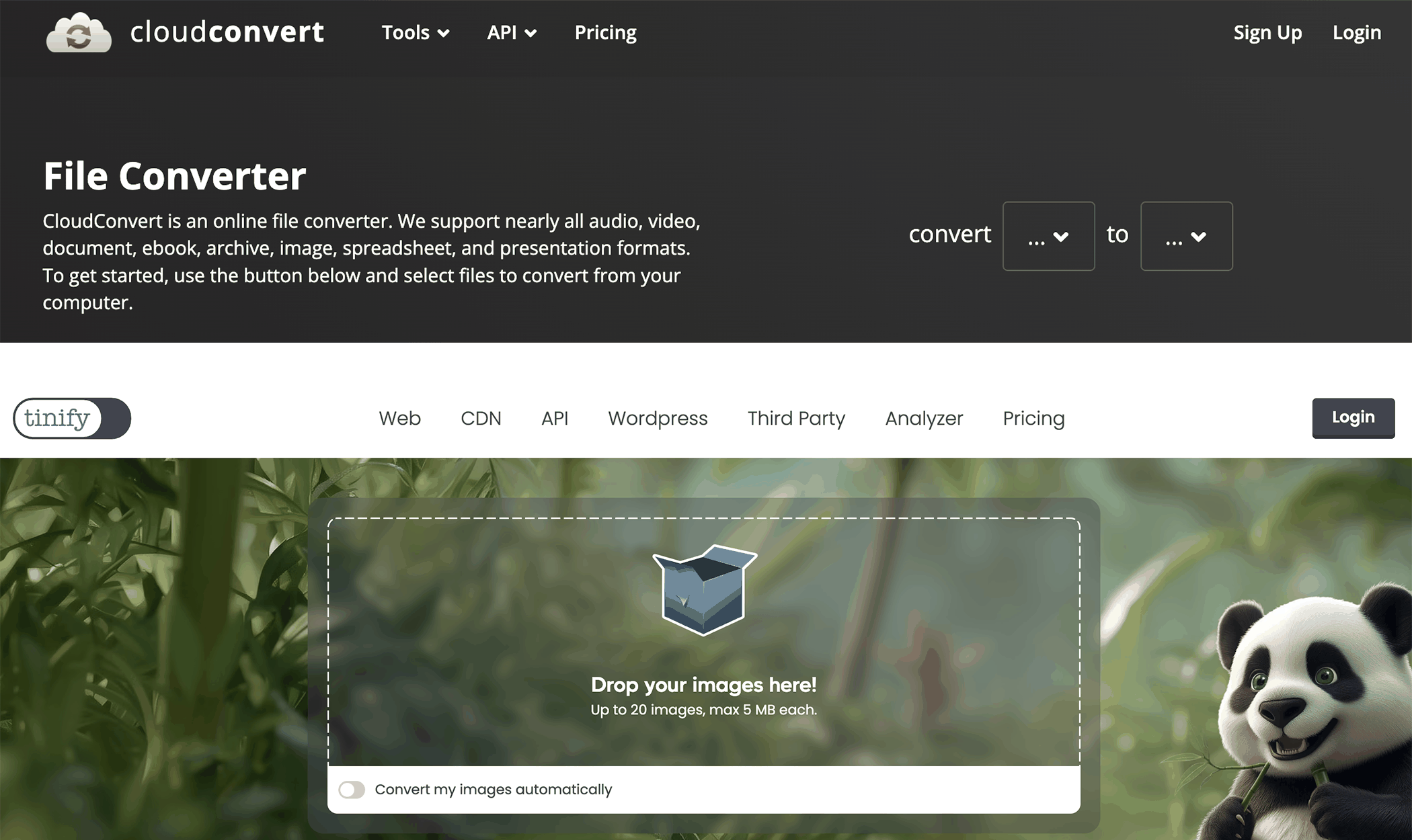
Web-based converters (like CloudConvert or TinyPNG) are popular but come with hidden costs.
Advantages:
No installation required.
Quick for small files.
Drawbacks:
File size and batch limits.
Requires uploading images.
Privacy and security concerns.
Slower for large batches.
Online tools are not recommended for professional or frequent bulk conversion tasks.
Convert JPG to PNG Using Command-Line Tools
For developers, ImageMagick is the industry standard.
mogrify -format png *.jpg
Pros:
Extremely powerful.
Fully automatable.
Cons:
Requires technical knowledge.
No graphical interface.
Not beginner-friendly.
This approach is best suited for developers and advanced users.
Comparison: JPG to PNG Conversion Methods
Here is how the different methods stack up against each other.
| Method | Method | Offline | Ease of Use | Quality Control | Best For |
|---|---|---|---|---|---|
| Linraw doImage | ✅ Yes | ✅ Yes | ✅ Easy | ✅ High | Professional & bulk users |
| Windows / macOS Built-in | ⚠️ Limited | ✅ Yes | ✅ Easy | ⚠️ Basic | Occasional use |
| GIMP | ⚠️ Limited | ✅ Yes | ❌ Complex | ✅ High | Advanced editing |
| XnConvert | ✅ Yes | ✅ Yes | ⚠️ Moderate | ⚠️ Moderate | Format conversion |
| Online Tools | ⚠️ Limited | ❌ No | ✅ Easy | ⚠️ Varies | Small, quick tasks |
| Command-Line Tools | ✅ Yes | ✅ Yes | ❌ Hard | ✅ High | Developers |
Key Features of a Bulk JPG to PNG Converter
When choosing a bulk JPG to PNG converter, look for:
Batch processing for files and folders.
Cross-platform support (Windows & Mac).
Offline operation for privacy and speed.
High-quality, lossless conversion.
Support for additional tools like compression and resizing.
Simple, intuitive interface.
These features ensure a smooth and scalable image workflow.
Frequently Asked Questions
Q: Can I batch convert JPG to PNG without losing quality?
Yes. PNG is a lossless format, and desktop software preserves image quality during conversion.
Q: Is it better to convert JPG to PNG offline?
Offline conversion is faster, more reliable, and protects your image privacy.
Q: Are online JPG to PNG converters safe?
They can be risky for sensitive images due to uploads and storage on third-party servers.
Q: Why is the PNG file size larger than the JPG?
PNG uses lossless compression, meaning it keeps every single pixel's data. JPG throws away some data to save space. Expect your PNGs to be 2x to 5x larger than the original JPGs.
Q: Can I convert HEIC to PNG with this software too?
Yes! [Your Software Name] supports modern formats like HEIC (iPhone), AVIF, and WebP, allowing you to convert them to universally compatible PNGs.
Conclusion
If you need to batch convert JPG to PNG on Windows and Mac, Linraw doImage is the most efficient and professional solution. It offers bulk processing, offline security, and consistent image quality—far beyond what built-in tools or online converters can provide.
For users managing large image collections or recurring conversion tasks, choosing a dedicated desktop JPG to PNG converter ensures speed, control, and reliability.
